 Canify
A modern, lightweight
CAN / CANopen analyzer
Plug in a $15 SLCAN adapter and get live bus monitoring, DBC signal decoding, real-time plotting, frame transmission, and full CANopen node debugging. One-click install — all data stays on your machine.
Built for efficient debugging
From bus monitoring to servo commissioning, Canify packs the everyday toolkit into one lightweight native app.
Dockable modern UI
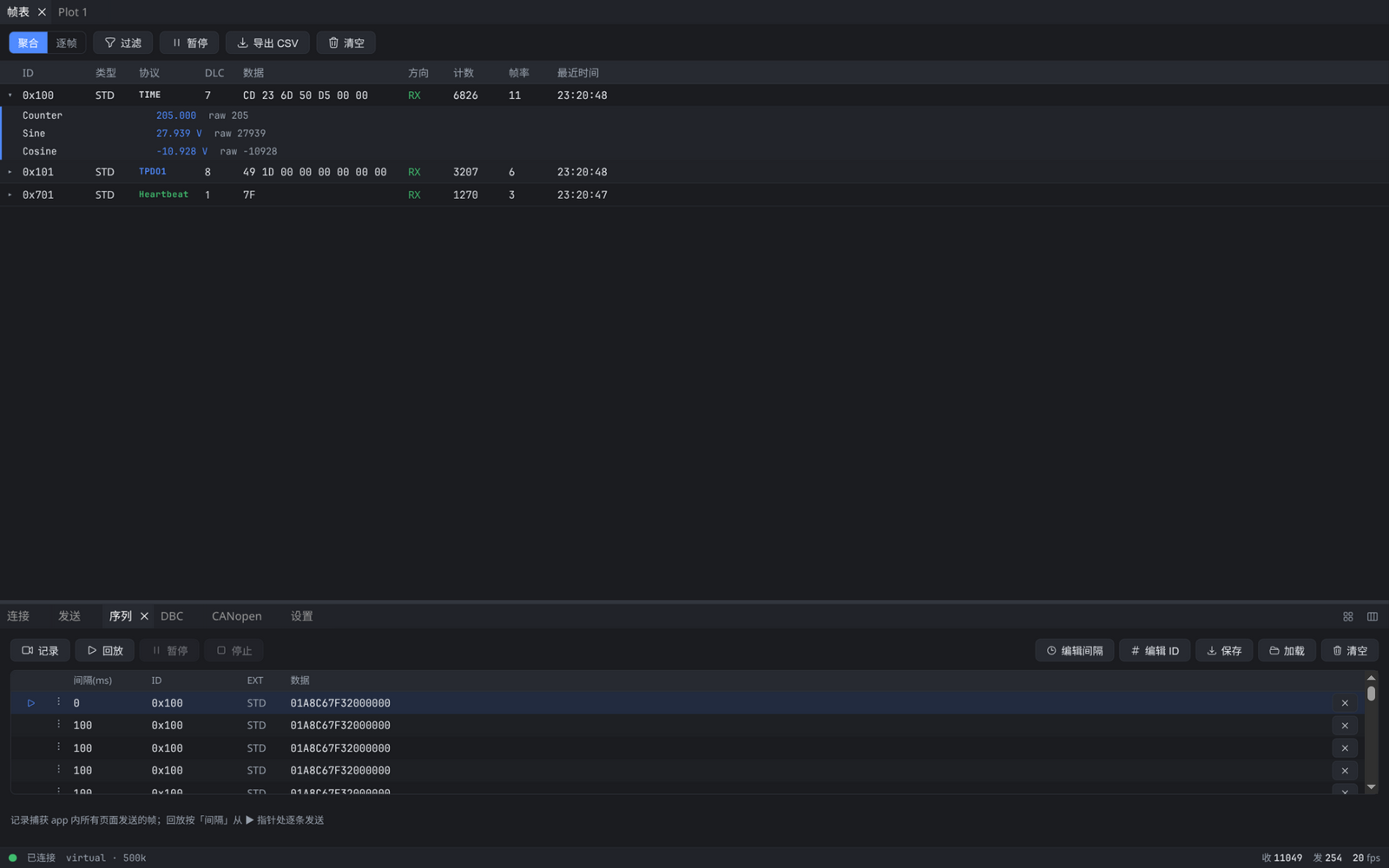
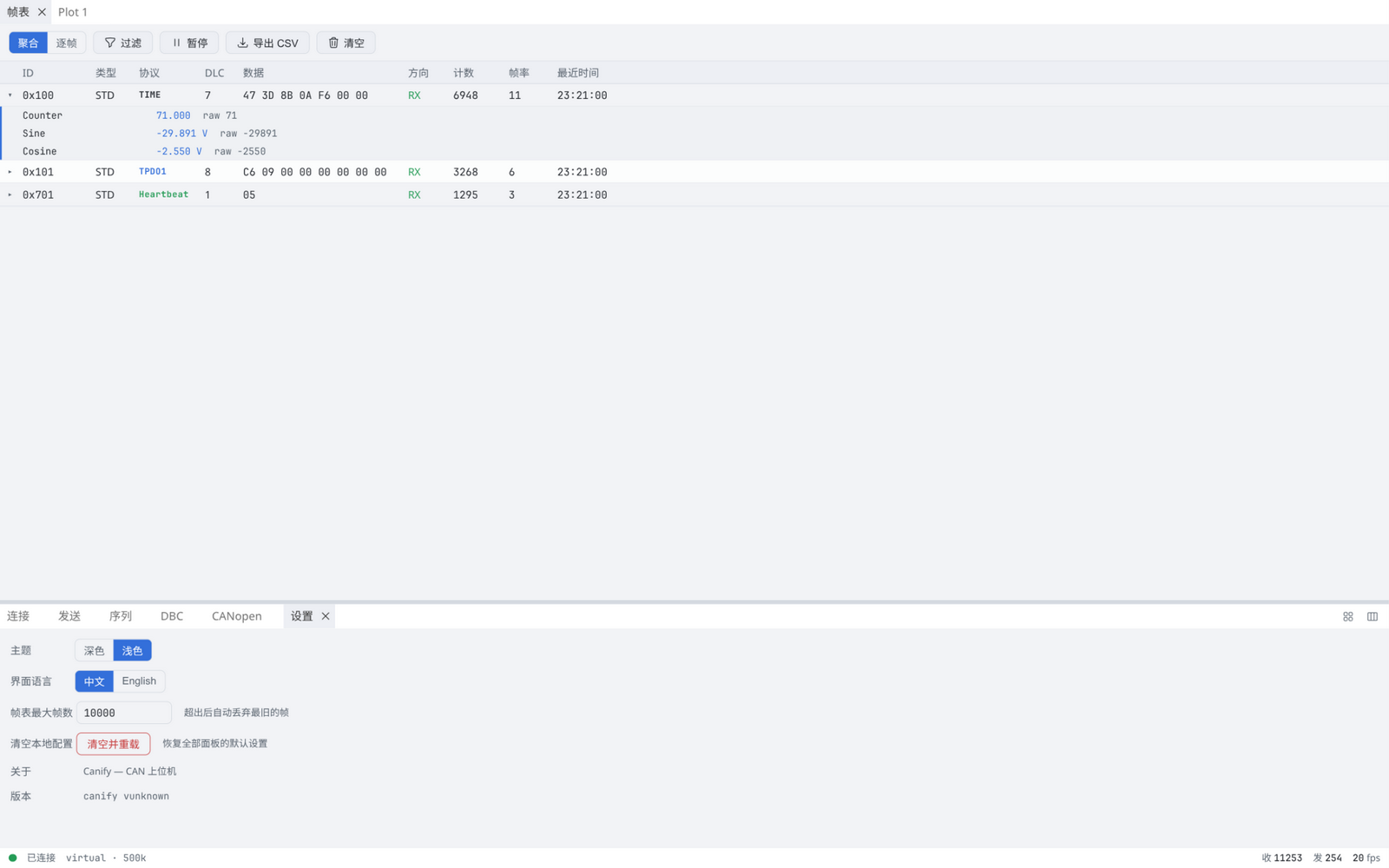
Freely split and rearrange the display area and control dock; layouts are remembered. Dark / light themes and a Chinese / English UI, one click away.
DBC decoding + live plotting
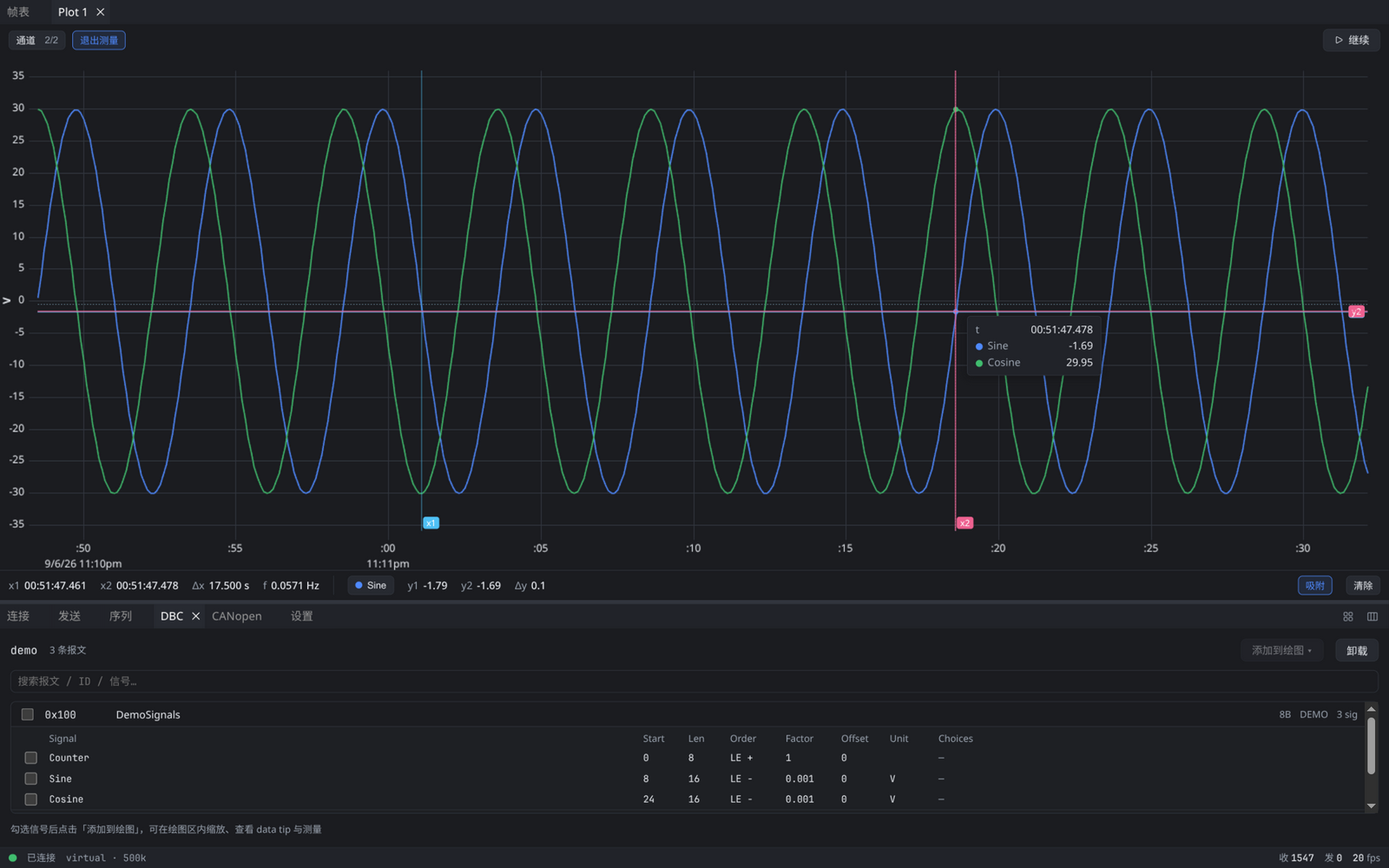
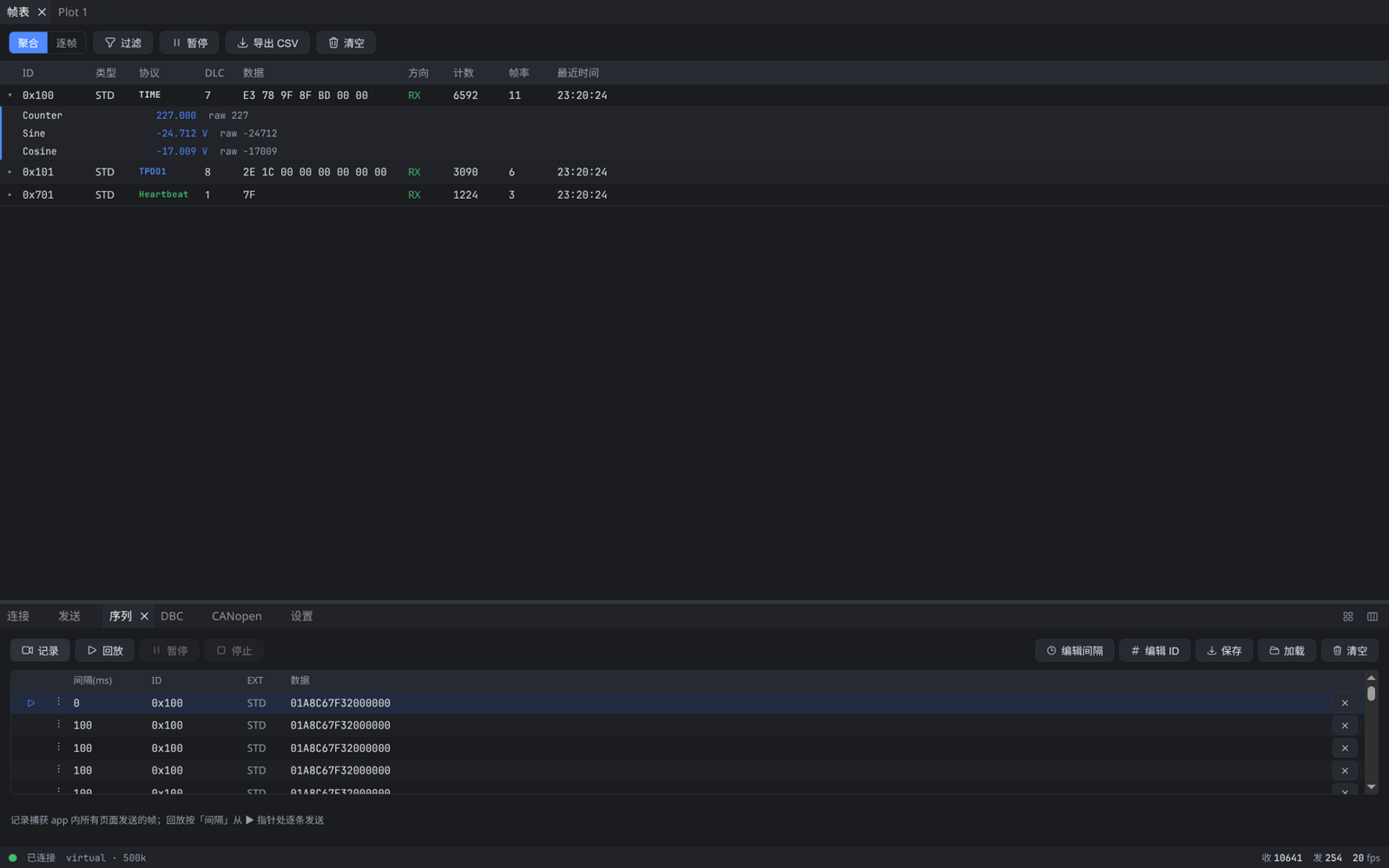
Import a DBC and expand physical signal values right in the frame table; tick signals to plot them — LTTB downsampling keeps busy buses smooth.
CANopen, all in one place
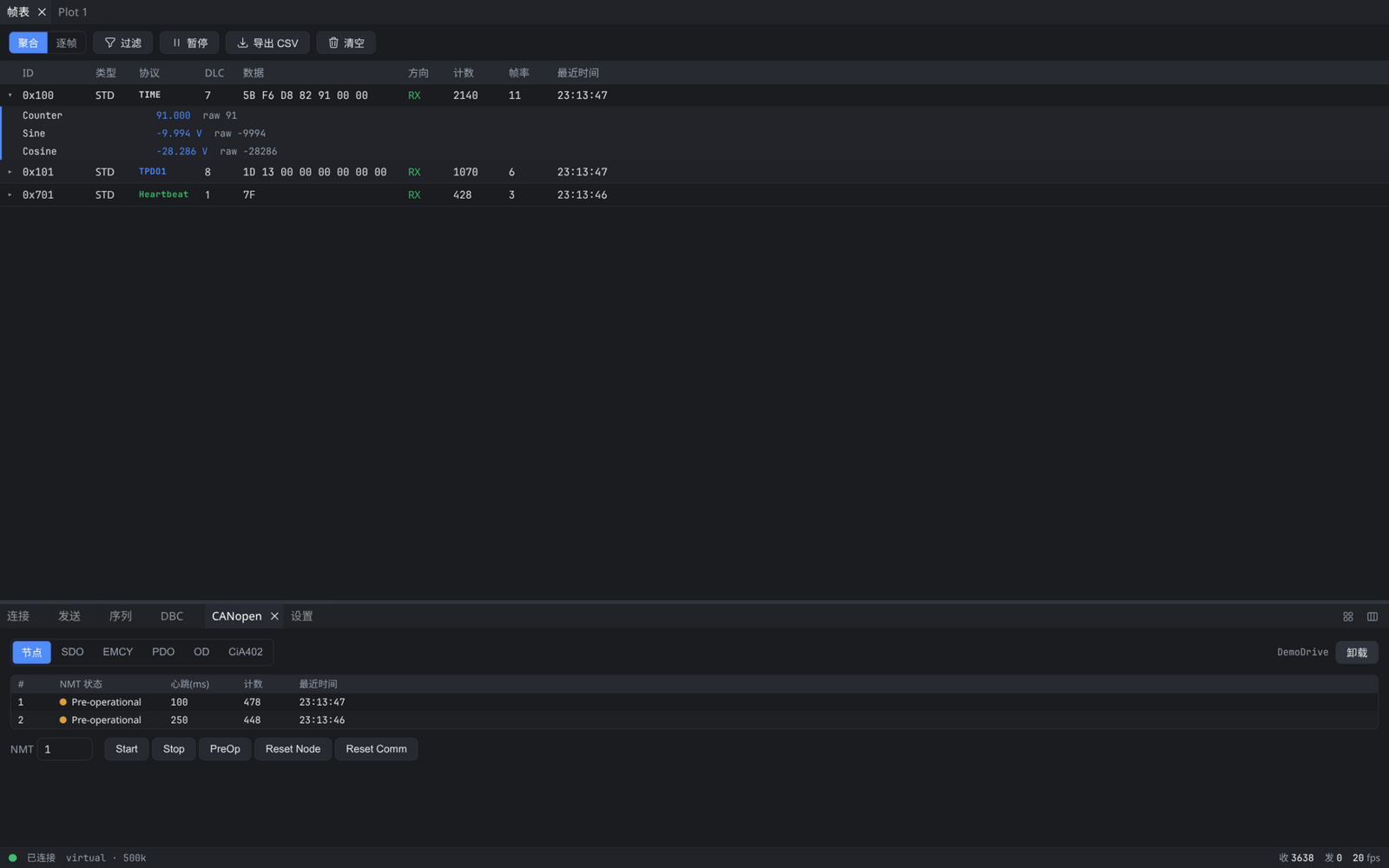
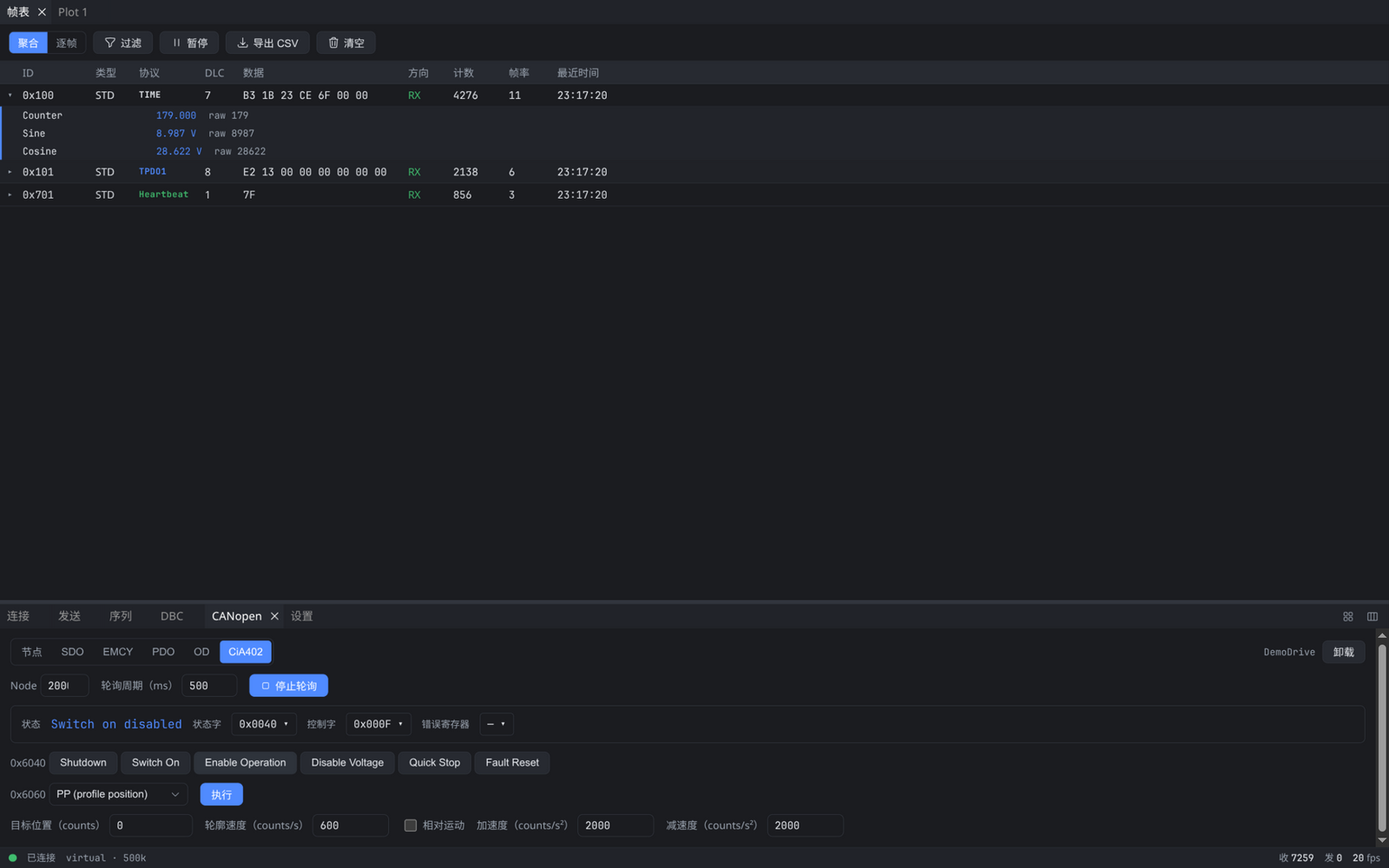
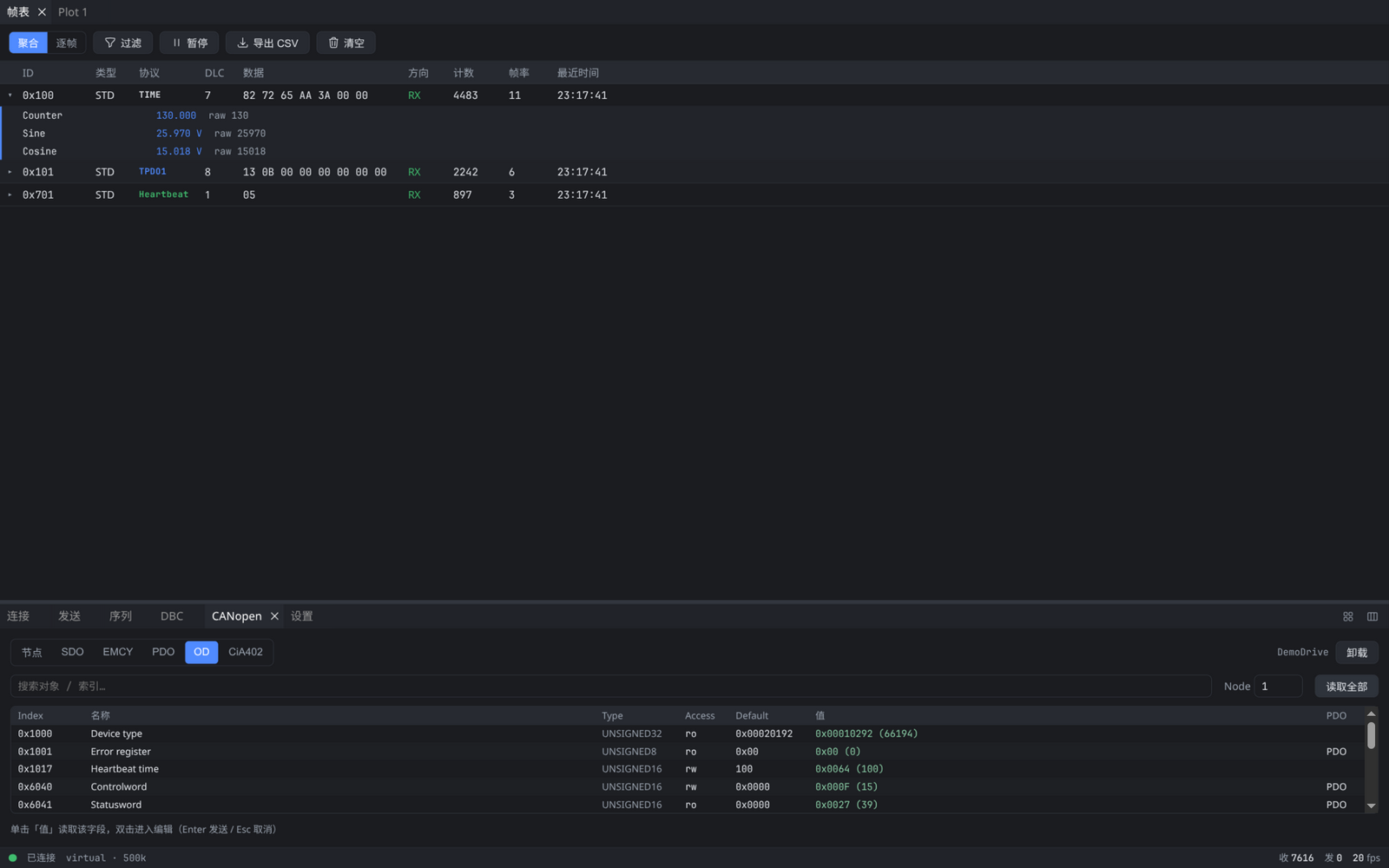
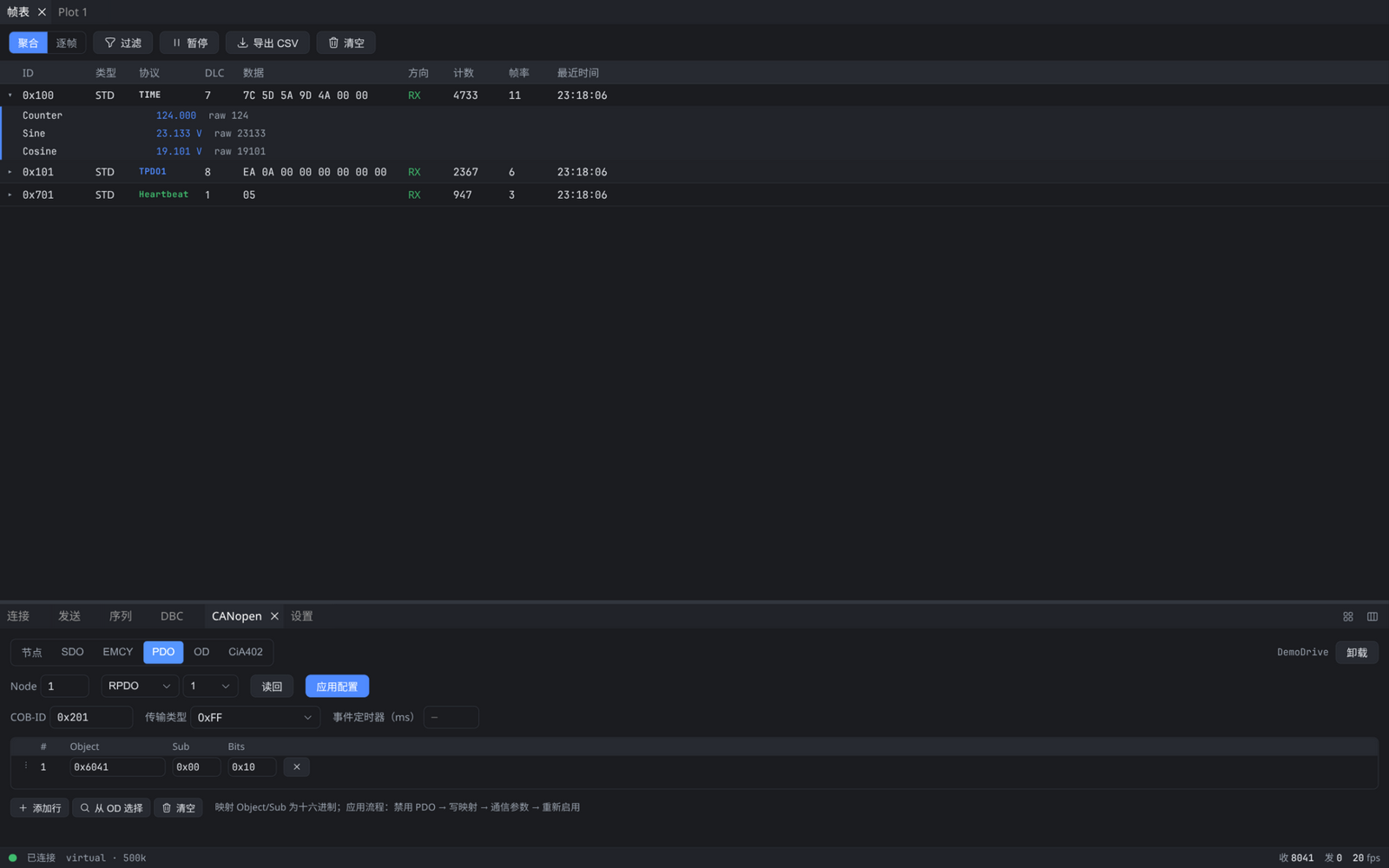
Node table, SDO log, EMCY, object dictionary, PDO configuration, and CiA 402 drive control — passive decoding and active debugging together.
Sequence record & replay
Record every frame the app sends (including SDO / NMT operations) and replay it with the original timing — reproducing issues has never been easier.
Powerful live filtering
Hex ID lists / ranges combined with data-byte conditions over AND / OR — lock onto the messages you care about in noisy traffic.
Lightweight · fully local
Built natively with Tauri 2 + Rust: small installers, fast startup — no cloud, no telemetry, no outbound requests.
CANopen debugging,
all in one place
Whether you are passively observing an unknown bus or commissioning a CiA 402 servo drive, Canify puts the complete toolchain in a single panel.
- Automatic node discovery: NMT state and heartbeat interval at a glance
- SDO transaction log: requests and responses auto-paired, ABORT codes explained
- Import an EDS to browse the object dictionary: single reads/writes or read-all
- PDO configuration editor: mappings and comm params applied via the standard procedure
- CiA 402 control: state machine visualization, enable sequence, motion parameters, first-use safety confirm
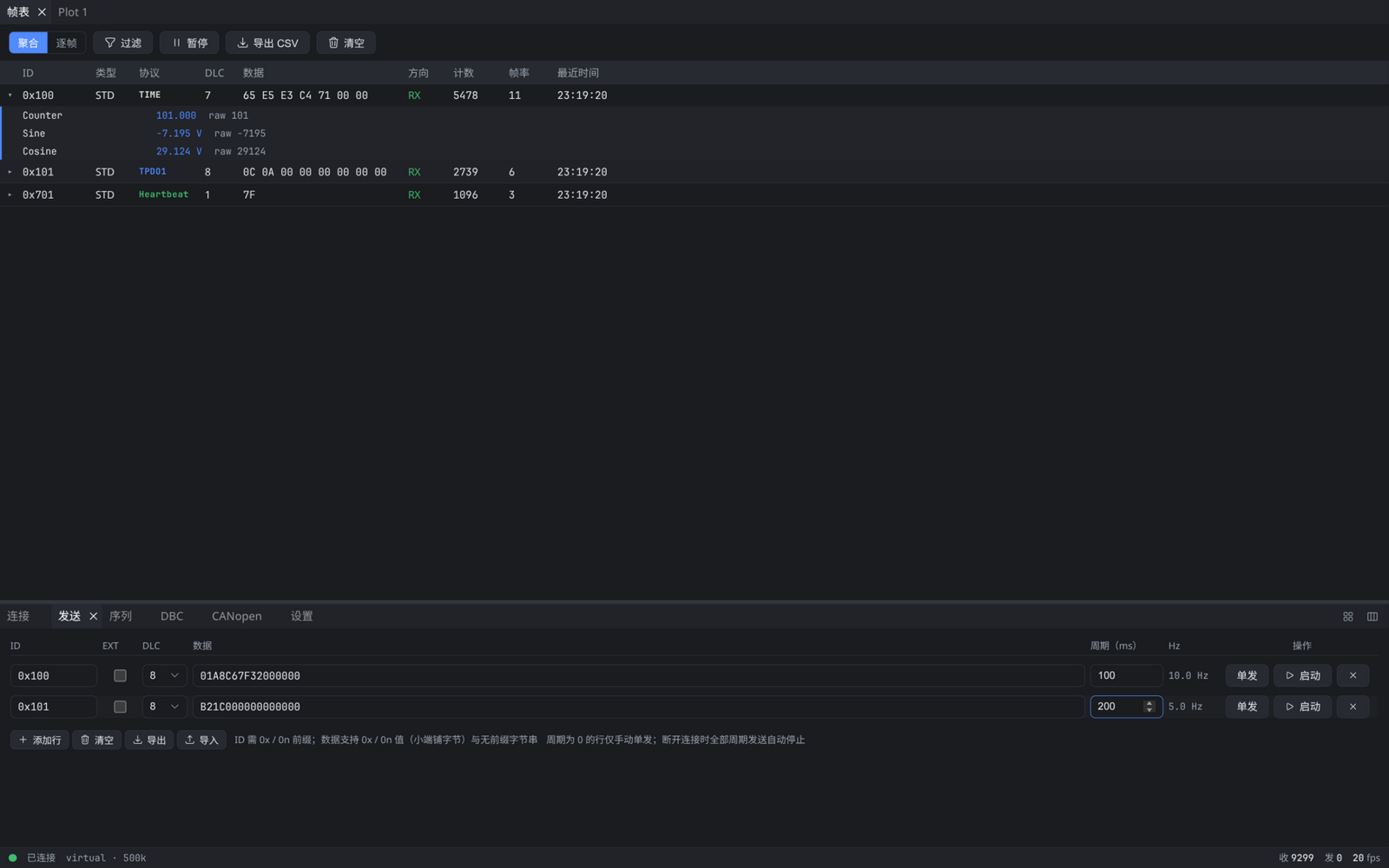
A tour of the interface
Click any screenshot to zoom in.
Supported hardware
Standard slcan protocol — the most common (and most affordable) class of CAN adapters works out of the box.
- CANable / MKS CANable / cantactSLCAN firmware · ~$15
- Arduino + CAN shieldMCP2515 / MCP2518 · SLCAN firmware
- Any serial device speaking slcanLinux /dev/ttyUSB* · Windows COM
- Virtual bus (built-in)Loopback mode · try everything without hardware
SocketCAN (Linux can0) is on the roadmap — stay tuned.
Free download
No registration, no feature limits. All installers are published on GitHub Releases.
All versions and packages: GitHub Releases · Feedback: Issues
How it compares
Every tool has its own focus — here are the facts only.
| Tool | Platforms | Hardware | DBC decode + plot | Active CANopen tools | Sequence record / replay | License |
|---|---|---|---|---|---|---|
| Canify | Windows · Linux | SLCAN + virtual bus | ✓ | ✓ incl. PDO config & CiA 402 | ✓ records every app-sent frame | Freeware (closed source) |
| CANgaroo | Windows · Linux | Broad (Vector / PEAK / Kvaser / gs_usb, …) | ✓ | — | Partial * log-file replay | Open source (GPL) |
| CANviz | Windows · macOS · Linux | gs_usb / SLCAN / SocketCAN | ✓ | Partial * quick SDO / NMT / 402 buttons | — | Open source (MIT) |
| PCAN-View | Windows | PEAK hardware only | Partial .sym symbols | — | — | Freeware (closed source) |
* CANviz offers expedited SDO, NMT, and CiA 402 quick buttons but has no PDO configuration editor or segmented SDO; CANgaroo replays ASC / candump / PCAP log files, while Canify's sequence feature directly records every frame the app sends (including CANopen operations) and replays them with the original timing. Compiled from each project's public documentation.
FAQ
Is Canify free?
Yes — free to use: no registration, no feature limits.
Does it support CAN FD?
Not yet; CAN FD is on the roadmap. The current frame data model already reserves payload length for FD.
Is there a macOS build?
Not yet — it is on the roadmap.
Is any data uploaded?
No. Canify runs entirely locally: no cloud, no telemetry, no outbound requests. Bus data lives only in your machine's memory.
Linux says "permission denied" when opening the serial port?
Add yourself to the dialout (Debian/Ubuntu) or uucp (Arch) group, then log out and back in: sudo usermod -aG dialout $USER
Is it open source?
Canify is freeware but closed source, distributed as binary installers. Feedback and feature requests are welcome on GitHub Issues.